Every Discito feature, in depth.
We built one feature at a time, each one earning its place. Here's what each one does, why it's there, and where to find it.
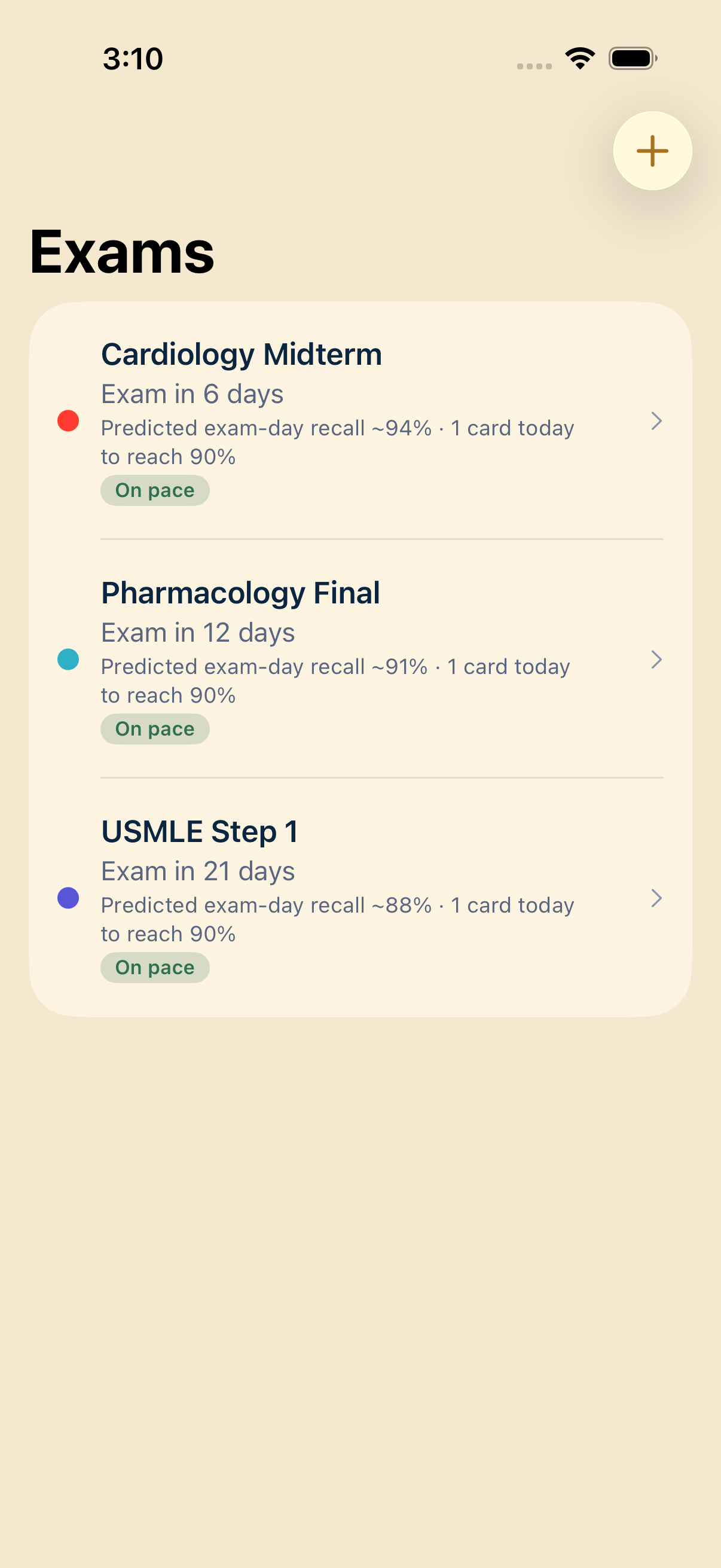
Smart Exam Plan
Add your exam date and Discito builds a day-by-day plan that covers every card before exam day — weakest cards first. Track several exams at once, each with its own countdown and on-track status. When every card is covered, it tells you you're ready.
The plan runs on a non-destructive cram engine: drilling today's slice never disturbs your long-term FSRS schedule. Cram for Friday's midterm and keep your year-long retention curve intact — at the same time.
AI card generation, on-device
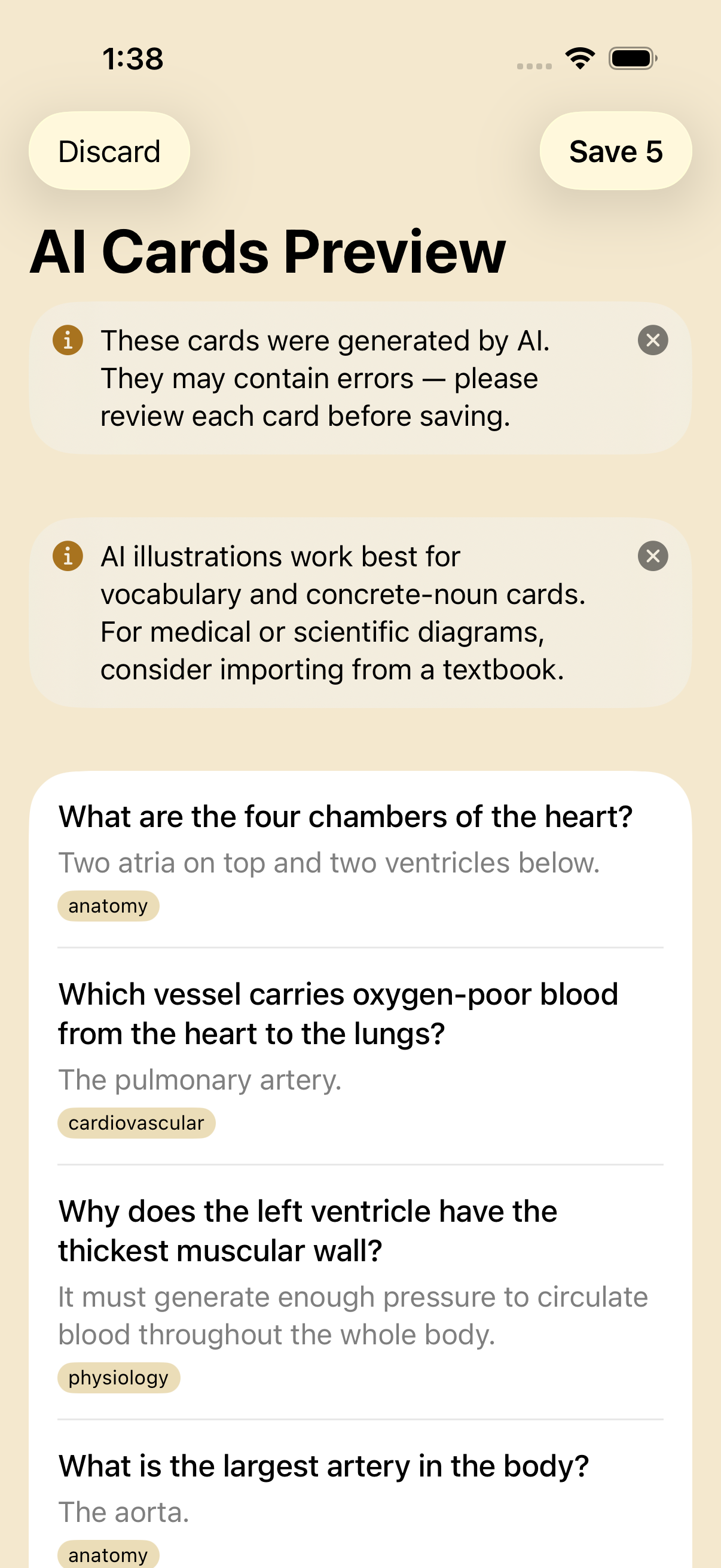
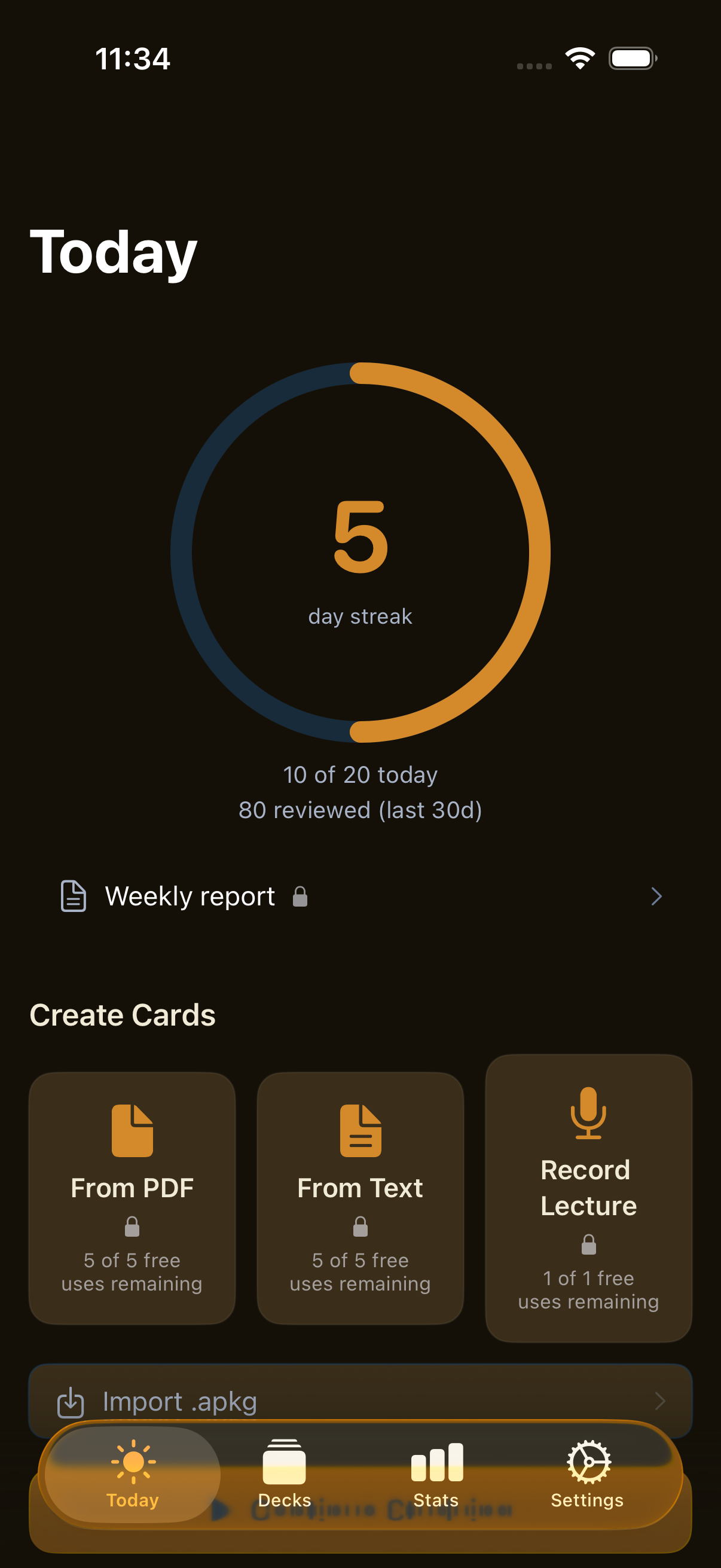
Paste a textbook chapter, drop a PDF, or feed the day's lecture transcript in. Discito calls Apple's on-device Foundation Models to draft a batch of Q&A cards, capped at 50 per session, with chunked processing so the source text is never sent to a server. Every draft card is editable, deletable, or regeneratable before it ever reaches your deck.
The pipeline runs NLLanguageRecognizer on your source first, then routes through the matching Foundation Models language pack. Nine languages supported at launch. Thermal pre-flight throttles long generations so your phone doesn't get hot.
Requires iPhone 15 Pro or later on iOS 26 with Apple Intelligence enabled. Lite users get 5 free sessions; Pro is unlimited.
Lecture audio → flashcards
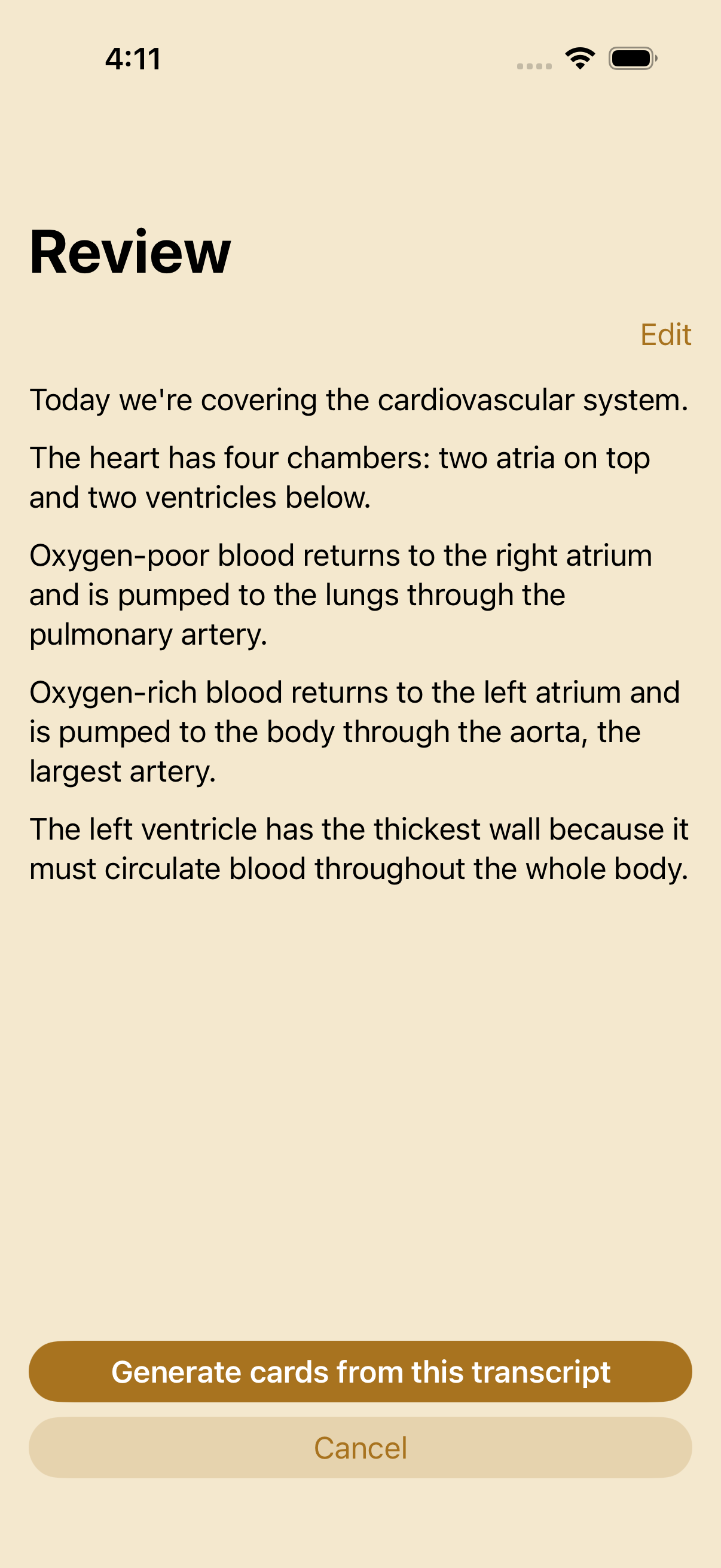
Record a 45-minute lecture directly in Discito, get on-device transcription via Apple's SpeechAnalyzer, and generate a candidate-card list from the transcript. The recording is yours — stored locally, deletable after generation, never uploaded.
Four-step wizard: Record → Transcribe → Review transcript (with per-segment alternatives) → Generate cards. Background-audio capable so screen-locking doesn't stop the recording. Audio session arbitration coexists cleanly with audio-card playback and the FSRS review loop.
Cards generated from a lecture carry a source-timestamp link — tap the audio-jump button on a card during review and you're at the exact moment in the recording where the idea came from. Audio retention is opt-in: keep it forever for re-generation, or auto-delete after card creation.
Requires iPhone 15 Pro or later on iOS 26 with Apple Intelligence enabled. 90-minute hard cap per recording.
AI image generation
For visual cards — the front face of a vocab card, an illustrative diagram for a concept — generate an image with Apple's on-device ImageCreator. Three styles (illustration / animation / sketch), 4-up streaming grid, refine via plain-text TextField. Pick one, save it to the card; the others get discarded.
Available wherever you'd normally add an image: the per-template image picker grows a fourth source, "Generate with AI." On iPhone 15 Pro+ on iOS 26 the option appears; on devices without Apple Intelligence it's hidden entirely so the picker stays uncluttered.
Requires iPhone 15 Pro or later on iOS 26 with Apple Intelligence enabled. Generation is on-device — your prompts never leave the phone.
Image Occlusion authoring
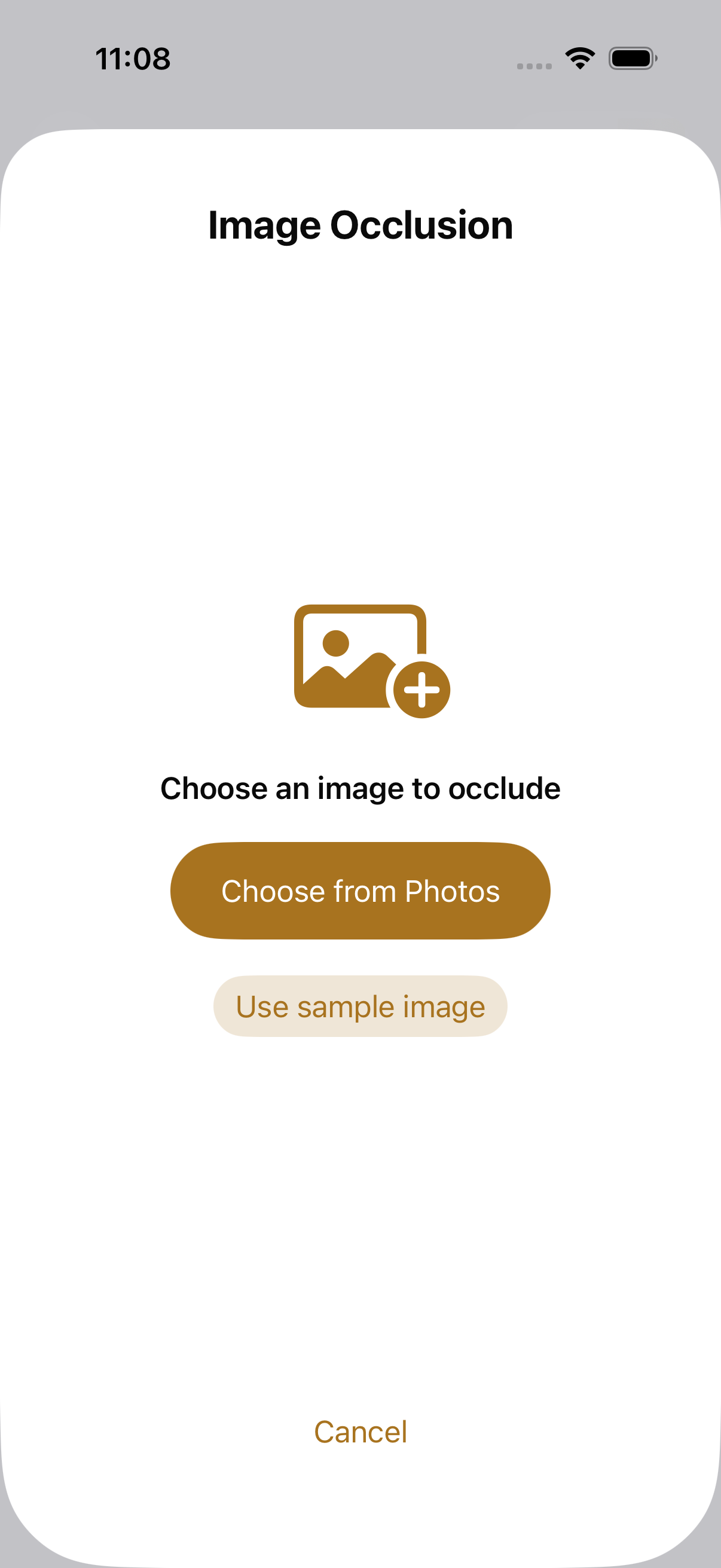
Drop an image (anatomy diagram, parts list, a map), then tap-and-drag rectangles, ellipses, or tap-place polygons over the regions you want to test on. Resize, rotate, and color each occluded zone. Discito generates one card per occlusion, with sibling-card grouping so you can review them as a set.
Bit-exact round-trip with the open .apkg format — Discito's Image Occlusion shapes serialize cleanly so your authored cards remain portable. Lite users get to render imported IO cards; authoring is Pro.
Apple Pencil supported for precise polygon vertices on iPad. Snap-to-edge for grid-style diagrams. EXIF orientation handled at ingest — your image never rotates underneath your shapes.
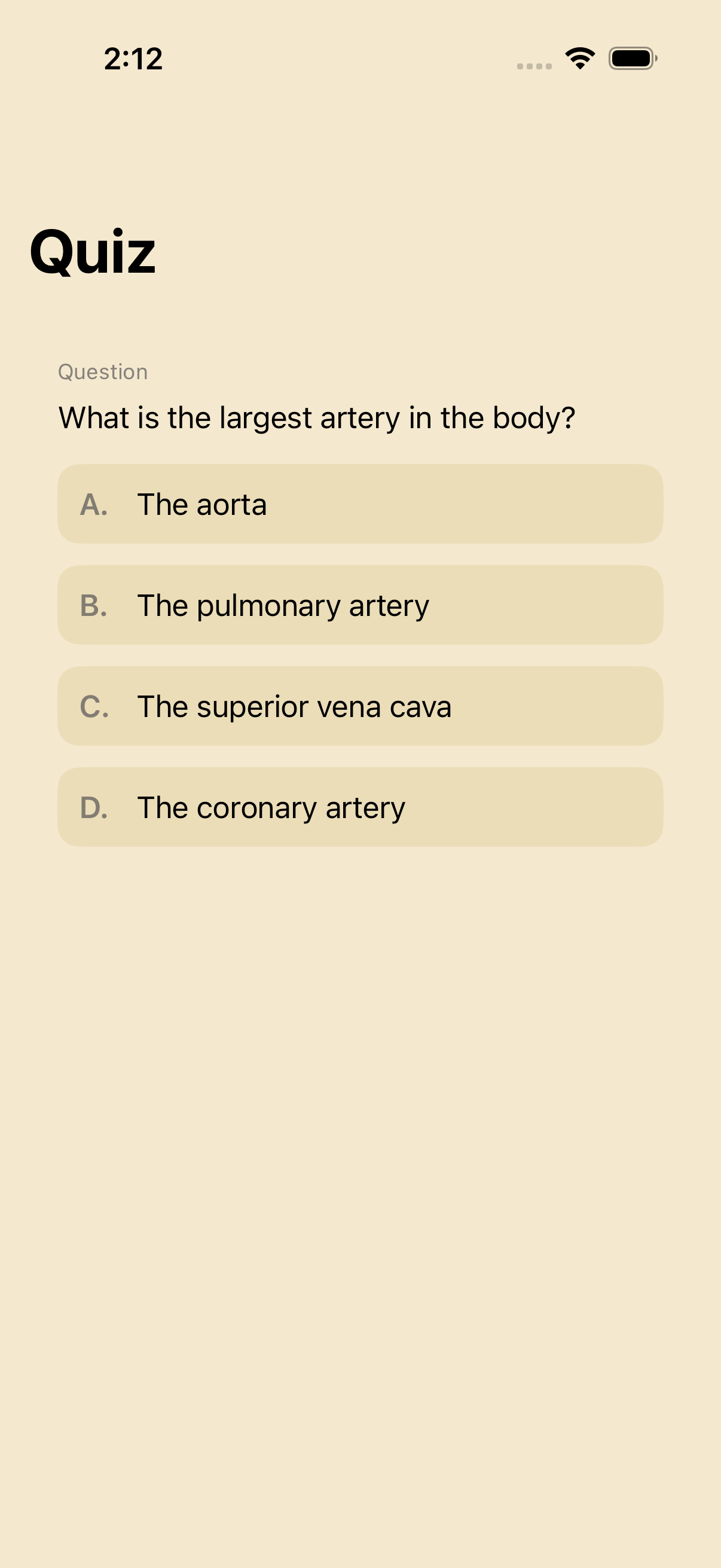
Smart quiz modes (MCQ + True/False + Type-the-answer)
Beyond the classic flip card, Discito ships three quiz modes for active recall. Type-the-answer grades fuzzy-match against your card's back text. Multiple-choice generates plausible distractors from your deck — or, if you're on Apple Intelligence hardware, from Foundation Models with a 5-check quality gate (length parity, Levenshtein-distance threshold, deduplication, semantic plausibility, fallback to same-deck random).
True/False generates a "is this fact correct?" prompt with the same distractor pipeline. Every quiz mode feeds back into FSRS-6 scheduling — the algorithm doesn't care whether you got it right via flip or MCQ; it sees the rating you gave.
Lite users get 3 free smart-quiz sessions; classic flip-card review is always free.
Smart distractors require iPhone 15 Pro or later on iOS 26; on older devices, MCQ falls back to same-deck-random distractors with no quality drop in coverage.
FSRS-6 personalized optimizer
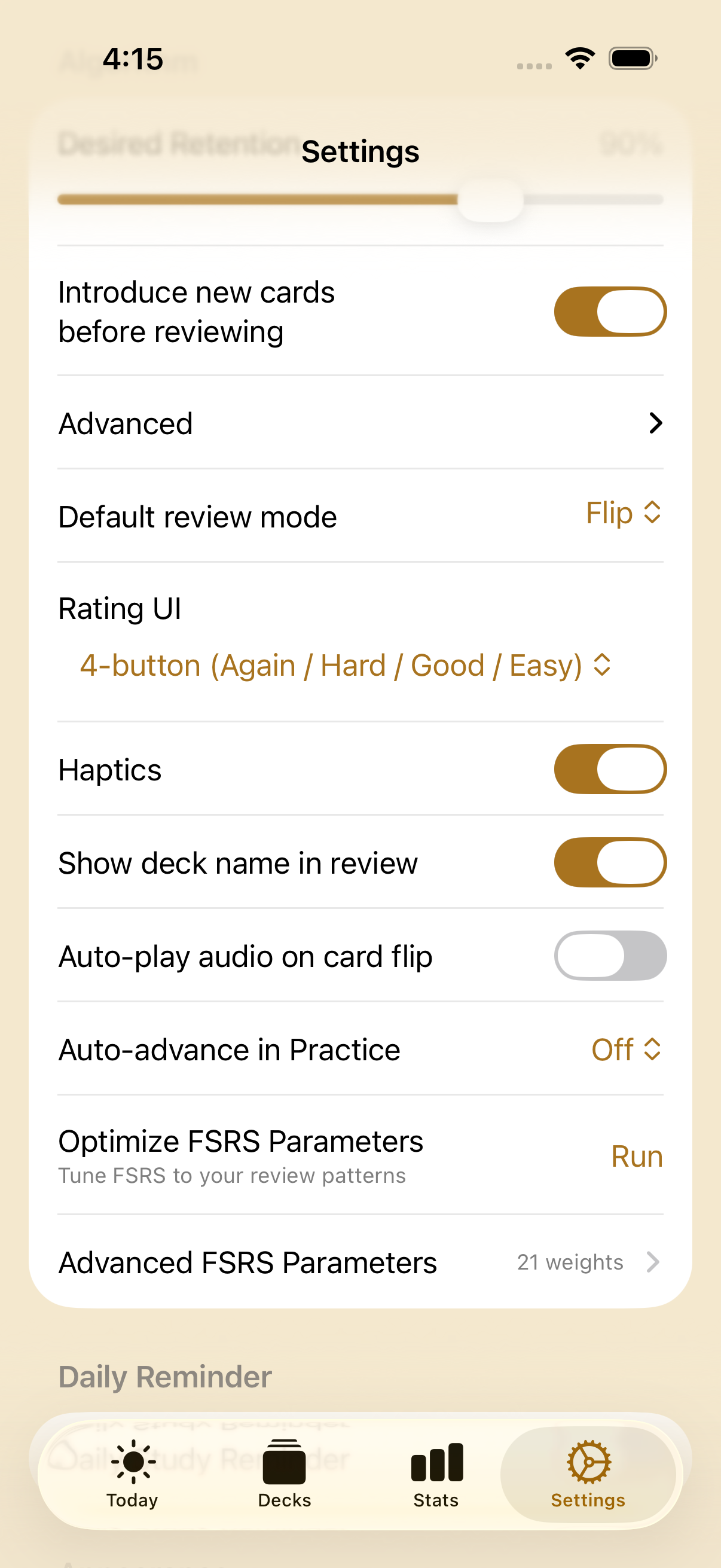
FSRS-6 ships with default weights tuned against the open-source community's review corpus — they work great for most learners out of the box. The personalized optimizer runs fsrs-rs (the Rust reference implementation) against your review history to derive the 21 weights that minimize your forgetting curve.
On a 1,200-review history the optimizer runs in roughly 55 ms on an iPhone 17 Pro. The result is a weight vector unique to you, persisted in iCloud KVS so it follows you across devices. Re-run any time your habits change.
Lite users get one free optimization run, so you can compare your personalized weights to the FSRS defaults before paying.
Non-destructive deck re-sync
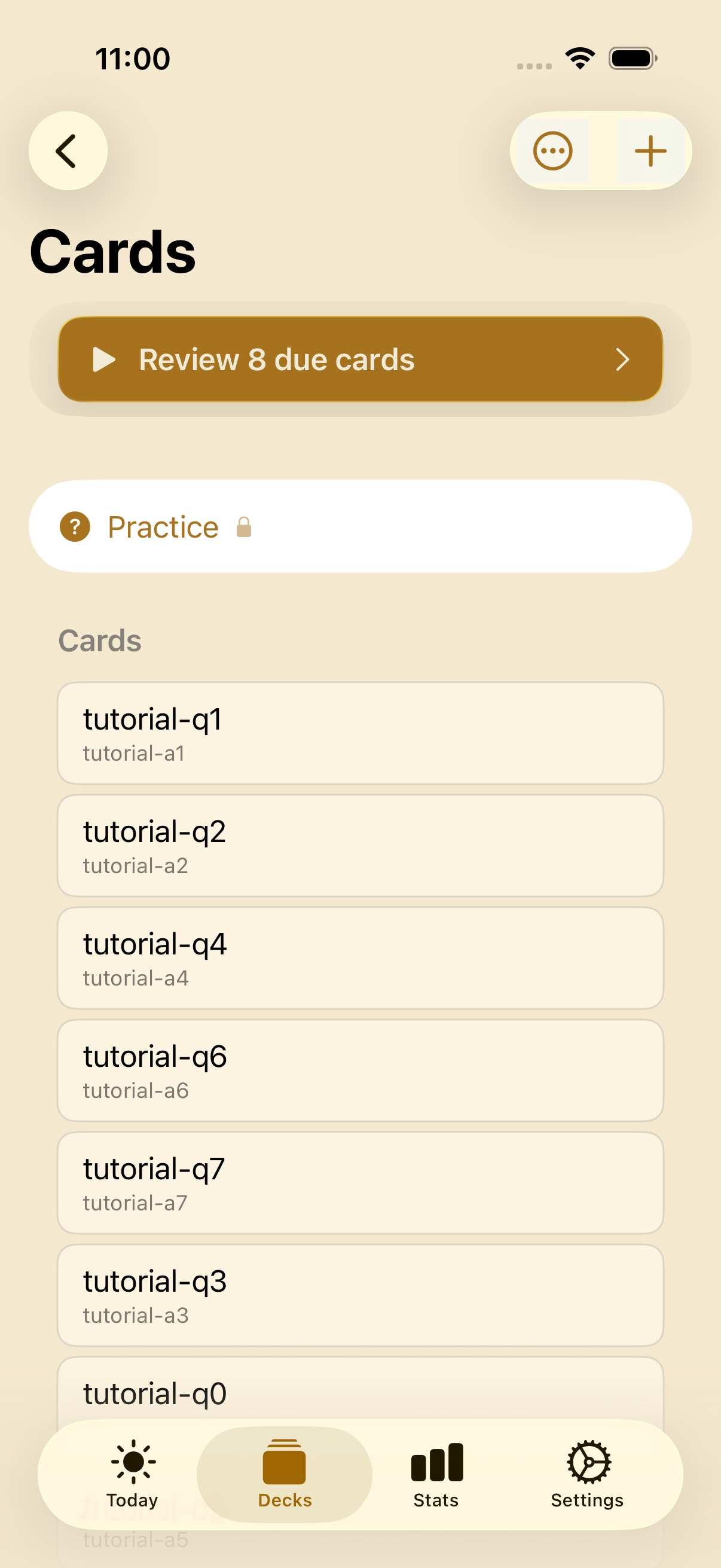
Imported decks go stale. The author publishes a newer .apkg — new cards, fixed typos, dropped cards, updated images and audio — and a normal re-import would wipe the FSRS scheduling history you've built across weeks of review. Discito re-syncs instead: re-import the updated .apkg into the deck you already have, and it merges the author's changes without losing a single review.
Cards are matched by their stable identity, so the merge is surgical: new cards are added, edited cards have their content + media updated in place, and removed cards are suspended (never silently deleted) so nothing you've studied disappears. Your per-card FSRS state — interval, difficulty, stability, due date — carries straight through. Cross-device safe: re-sync on your iPhone and your iPad sees the updated content while keeping its own scheduling.
The first import of any deck is always free. Lite users get five free re-syncs to taste the merge; the ongoing update flow is Pro.
Weekly Report — every Sunday at 7 PM
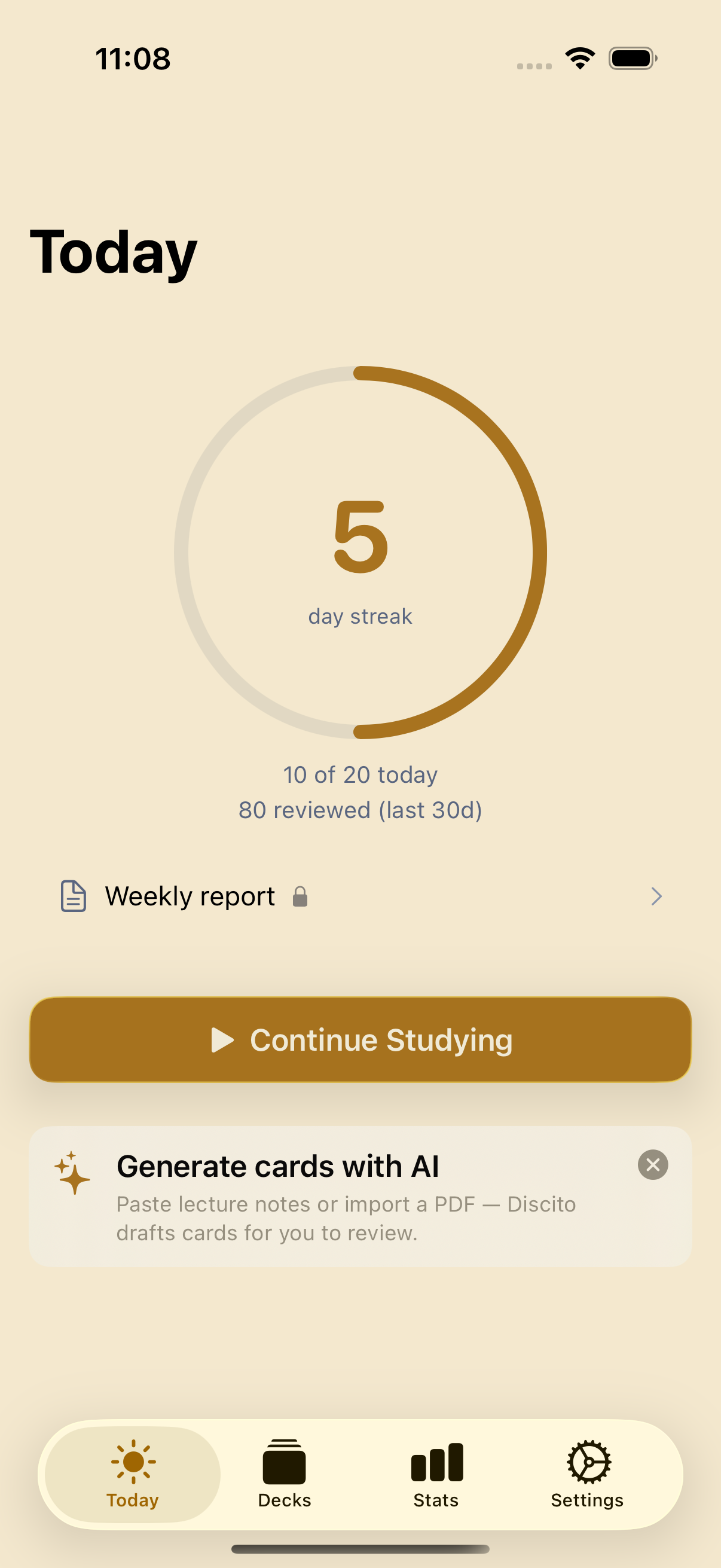
Sunday at 7 PM local time, Discito generates a weekly review: reviews completed, retention rate, learned vs reviewed split, top 3 decks by time spent, and your streak. Delivered as a notification — tap to see the full report inside the app.
Every report can be exported as a 1080×1920 portrait image via the share sheet. Dark-mode-locked design so screenshots look right on Twitter / Bluesky / Mastodon regardless of your phone's appearance setting.
Lite users get the Study Dashboard (streak + daily goal ring + last 30 days of reviews + retention) on the Today tab; the weekly report + shareable export is Pro.
Widgets, Live Activity, Dynamic Island, Control Center
Three widget surfaces, all driven by a single cross-process snapshot pipeline. The Due Count widget shows your pending reviews; the Card Preview widget rotates through 8 cards across the day in 15-minute slots; the Live Activity banner shows your review session on the Lock Screen with rate buttons in the Dynamic Island.
Smart Stack relevance scoring elevates Discito into your stack when reviews are due. Control Center button (iOS 18+) jumps straight into a review session from anywhere on the device. Focus filter integration silences reminders when you're studying.
All platform surfaces are Lite features — the snapshot lives in App Group storage so widgets keep working even if your Pro entitlement lapses. Pro adds per-deck widget configuration so you can pin a specific deck to a specific widget instance.
5 reading themes, dark-mode-first
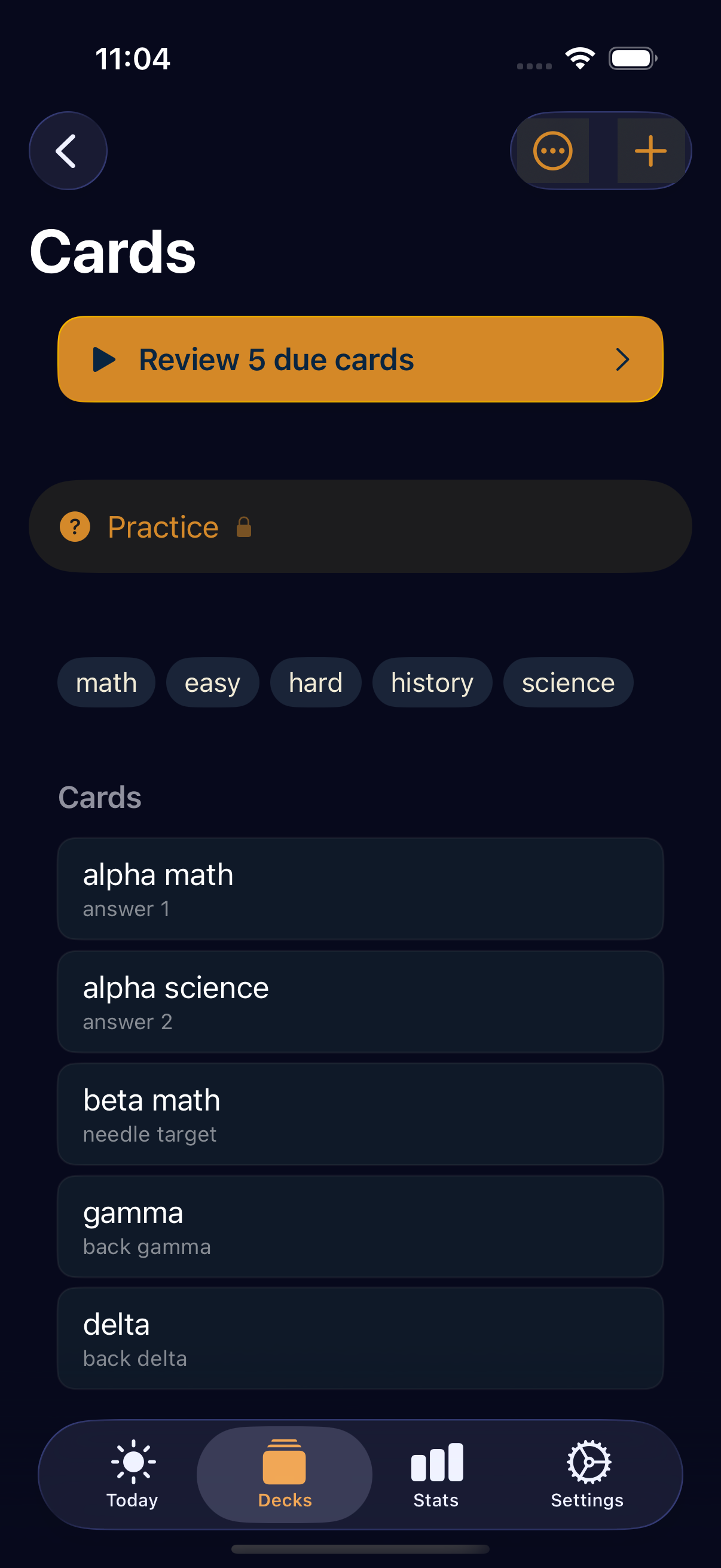
Paper, Cream, Sepia, Charcoal, Midnight. The first three are warm reading themes designed against premium ebook readers (Bear, Apple Books, Reeder); the latter two are dark-mode variants. System theme is the sixth option and respects iOS's appearance setting.
Each theme migrates four surface tokens (base, elevated, nested, modal) with a ≥4% LCH luminance step in light mode and ≥1.8% in dark mode, validated by regression tests. Brand-gold and brand-navy stay constant — your visual identity, your theme.
Switch any time in Settings → Appearance & Review UI. Theme persists via iCloud KVS, so picking Midnight on your iPhone shows up as Midnight on your iPad the next time you sync.
That's the Pro tour.
Lite gets 200 cards, full FSRS-6, iCloud sync, .apkg import, Markdown + LaTeX, audio playback, basic streak, widgets, Live Activity, and the bundled starter decks. Pro is $14.99 once, with seven free trial tastes of each major Pro feature — optimizer, AI gen, lecture capture, smart quiz, .apkg export, deck re-sync, and Smart Exam Plan — built into Lite.